7 Mobile Route Optimisation Tools for Fleets
Pick routing-only apps or full telematics to cut miles, improve ETAs and protect vehicles—what your fleet truly needs.

If I were shortlisting mobile route tools for a UK fleet, I’d split them into two groups straight away: route planners and telematics platforms. That one choice usually decides cost, setup time, tracking depth, and how much control I get over jobs, drivers, and ETAs.
In this guide, I’d narrow the field to 7 tools: GRS Fleet Telematics, Geotab, OptimoRoute, Circuit Route Planner, Kelgray Route Companion Pro, Webfleet, and Samsara. I’d compare them on the points that shape the working day:
- multi-stop route planning
- dispatch to driver apps
- driver status updates and messages
- ETA visibility and customer alerts
- tracking data for mileage, fuel, and schedule checks
- UK pricing, where shown
The short version is simple:
- If I wanted simple route planning with mobile apps, I’d look first at Circuit or OptimoRoute
- If I needed tracking, driver data, and fleet control in one system, I’d focus on Geotab, Webfleet, or Samsara
- If theft recovery and vehicle security sat near the top of my list, I’d put GRS Fleet Telematics on the shortlist
- If I wanted routing plus proof of delivery, I’d pay close attention to Kelgray and OptimoRoute
A few numbers stand out straight away. GRS starts at £7.99 per vehicle, per month plus hardware. Circuit Premium is £20 per month. OptimoRoute starts at about US$35.10 per driver, per month, with one UK review putting 3 drivers at about £105 per month. At the top end, Samsara often lands around £20–£50 per vehicle, per month, before hardware and install.
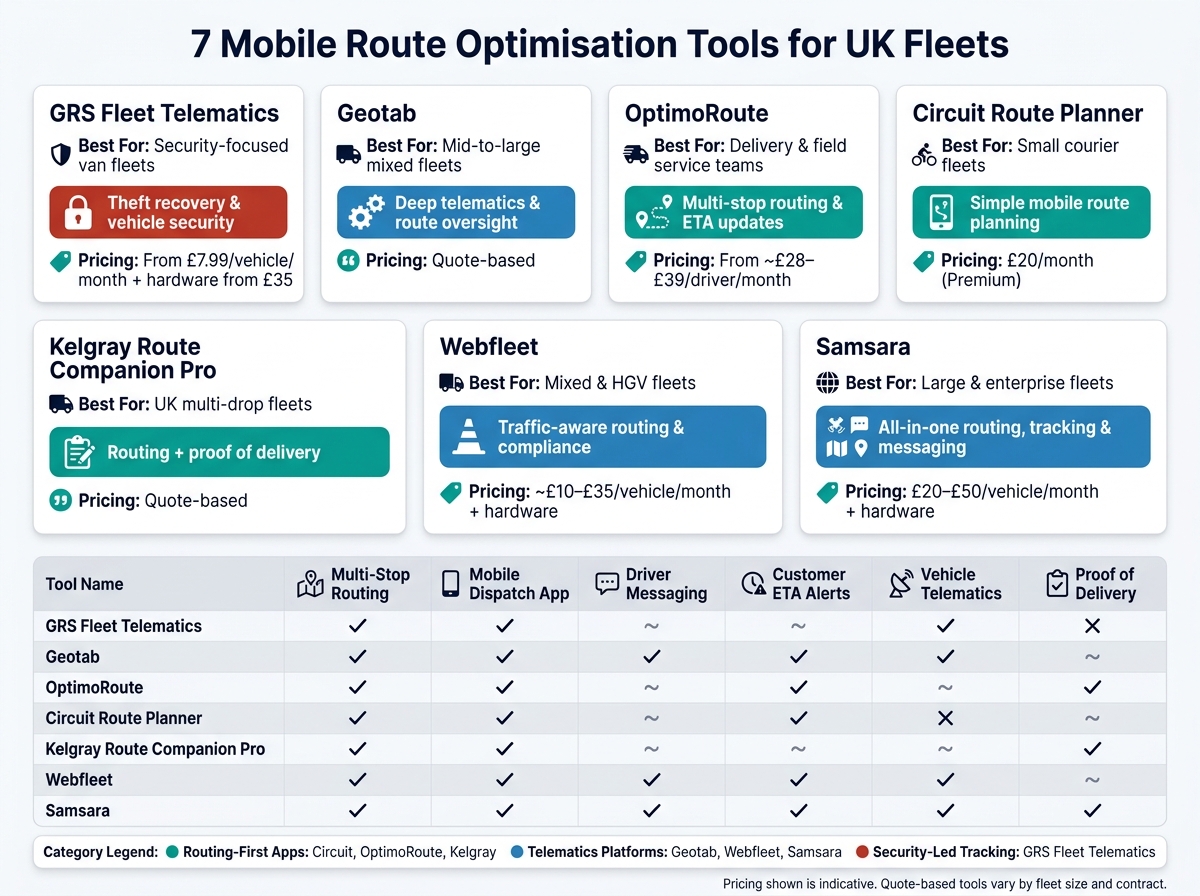
7 Mobile Route Optimisation Tools for UK Fleets: Side-by-Side Comparison
Quick comparison
| Tool | Best for | Main strength | Pricing shown |
|---|---|---|---|
| GRS Fleet Telematics | Security-focused van fleets | Tracking, theft recovery, vehicle security | From £7.99/vehicle/month + hardware |
| Geotab | Mid-to-large fleets | Deep telematics and route oversight | Quote-based |
| OptimoRoute | Delivery and service teams | Multi-stop routing and ETA updates | From US$35.10/driver/month |
| Circuit Route Planner | Small courier fleets | Simple route planning on mobile | £20/month for Premium |
| Kelgray Route Companion Pro | UK multi-drop fleets | Routing plus proof of delivery | Quote-based |
| Webfleet | Mixed and HGV fleets | Routing with traffic and fleet tracking | Quote-based |
| Samsara | Large fleets | Routing, messaging, ETAs, and live data | £20–£50/vehicle/month + hardware |
What I’d keep in mind: don’t just compare features. I’d check whether the price is shown per vehicle, per driver, or per month, whether live tracking is built in, and whether the tool can handle the number of stops and vehicles I run each day.
That gives me a clean way to sort the seven tools before looking at the detail.
What UK Fleet Managers Should Look at When Comparing Mobile Route Tools
Use these five checks to compare each tool below. They help you tell the difference between a basic route planner and a mobile fleet tool that can run day-to-day work properly. They’re also the same checks used in the seven tools covered below.
Route planning for multi-stop and multi-vehicle work
A good route engine does more than sort stops into a neat sequence. It should handle delivery time windows, such as 08:00–12:00 slots, spread work sensibly across drivers, account for vehicle capacity by weight or volume, and include depot start and end points.
For UK fleets running several vehicles at the same time, one thing matters a lot: can the system manage the whole operation in one place? Look for a platform that supports single-depot and multi-depot work, and lets planners control every route from one screen.
Dispatch from office to driver mobile apps
Planning the route is only half the job. The next part is getting that route to the driver cleanly and without delay.
Look for tools that offer:
- drag-and-drop job assignment
- same-day reassignments that sync at once to driver apps
- turn-by-turn navigation
- proof of delivery in the same workflow
When the driver app is simple to use, drivers make fewer calls back to the office and admin drops.
Driver messaging, job notes and status updates
In-app messaging cuts down the usual back-and-forth between drivers and the traffic office. If a driver can read updated job notes, flag a failed delivery, or mark a stop as complete inside the app, the office gets a live view of what’s happening on the road.
That matters when plans change mid-route. Dispatchers can react faster when job status updates - en route, arrived, completed or failed - sync on their own instead of depending on the driver to phone in.
ETA visibility for operations teams and customers
ETA accuracy is one of the clearest ways to spot the gap between a basic route planner and a more capable tool. The best systems use past route data, live traffic telemetry, and driver performance metrics to produce predictive ETAs.
In some cases, that can cut old multi-hour windows down to roughly 15-minute notification windows. For multi-drop work, that’s a big step forward. Operations teams should be able to view ETAs for all active routes in one dashboard, with delay alerts sent when routes shift or traffic slows a driver down.
Customer tracking links help too. That might be a branded portal or a one-off link sent by text or email. Either way, it cuts inbound “where’s my driver?” calls and gives recipients a clearer view of what’s going on. That’s the main difference to watch for in the tool reviews below.
How tracking data helps with mileage, fuel and schedule control
GPS and telematics data start to pay off after the route has been built. Journey replay and route history let managers check whether drivers followed the planned route or drifted off course.
That turns route efficiency into a KPI you can track, not a hunch. Over time, the same data can show up weak routes, idle time, and poor driving habits that push fuel and maintenance costs higher. Some setups report up to 20% better fuel efficiency. The point isn’t just to see where the vehicle is. It’s to judge whether the route itself is working.
1. GRS Fleet Telematics
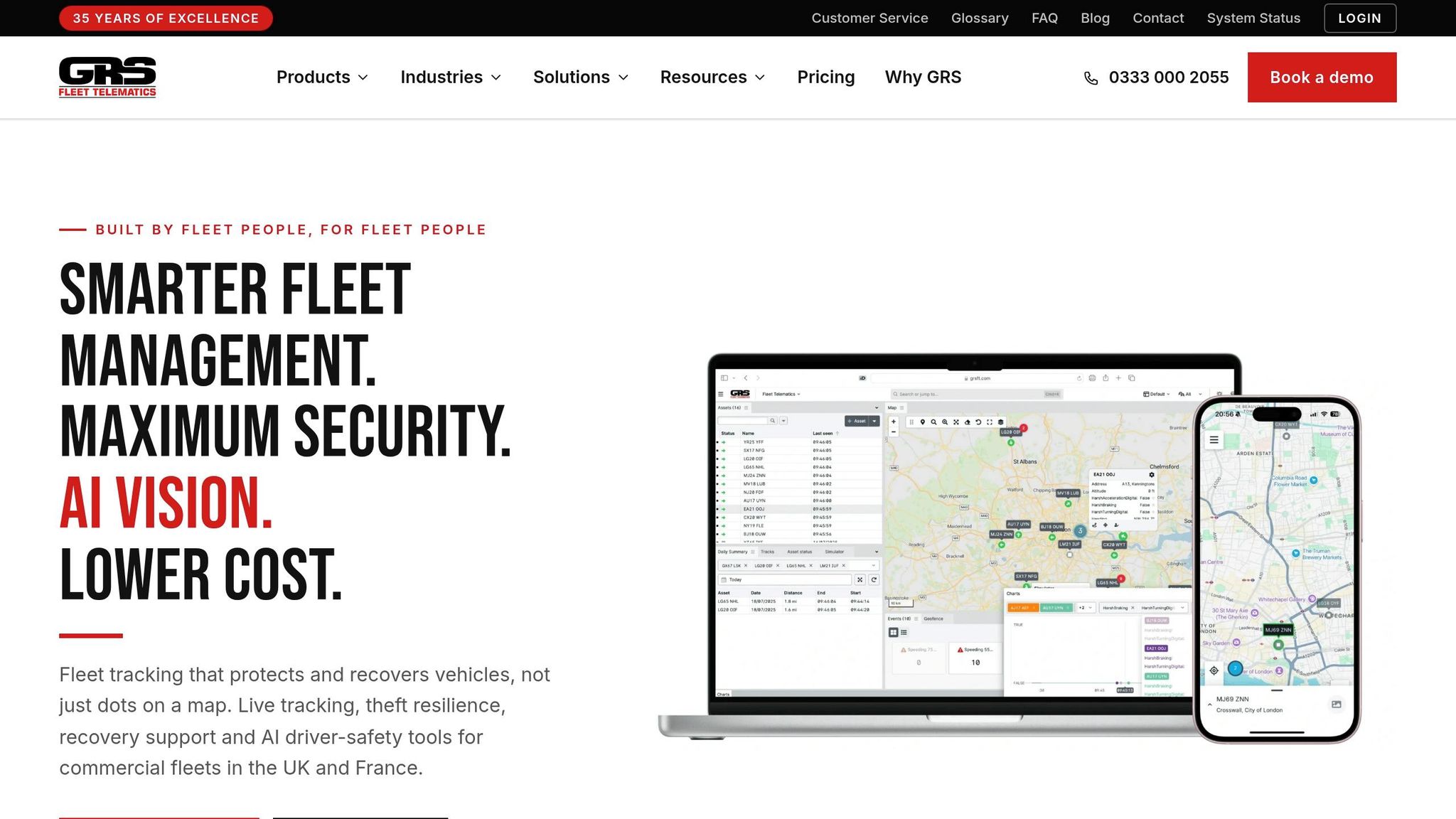
GRS Fleet Telematics is a good match for van-heavy UK fleets, especially where multi-drop runs, tight delivery slots and vehicle security all come into play. It lines up well with the five checks many UK fleet managers look at: route control, mobile dispatch, live status updates, ETA visibility and tracking data.
Route visibility and control
Managers get a live fleet map with role-based access. In practice, that means drivers only see their own routes, while office teams can view the whole operation. That split keeps things simple for drivers and gives managers a clear view of what’s happening across the fleet.
Dispatch and mobile job assignment
Dedicated iOS and Android apps keep route updates, vehicle positions and job changes in one place for both drivers and managers. So if a job shifts during the day, the update can move straight through the system without the usual back-and-forth.
Tracking data and schedule control
GPS tracking, speed alerts, geofencing and eco-driving analytics give fleet managers a clear view of where fuel is being wasted and where schedules are starting to slip. That helps cut wasted fuel and tighten control over daily runs.
For UK buyers, cost and hardware ownership often matter just as much as the feature set.
UK pricing
The hardware is bought outright instead of leased, with hardware options available. The monthly software subscription starts at £7.99 per vehicle, per month excluding VAT, and includes SIM and data, platform access and a dedicated account manager.
| Package | Hardware Cost | Key Features |
|---|---|---|
| Track | £35 | Single wired tracker, real-time tracking |
| Shield | £79 | Primary tracker plus secondary Bluetooth backup, stronger theft protection |
That blend of route control and vehicle security makes it a strong choice for van fleets working to tight daily schedules.
2. Geotab
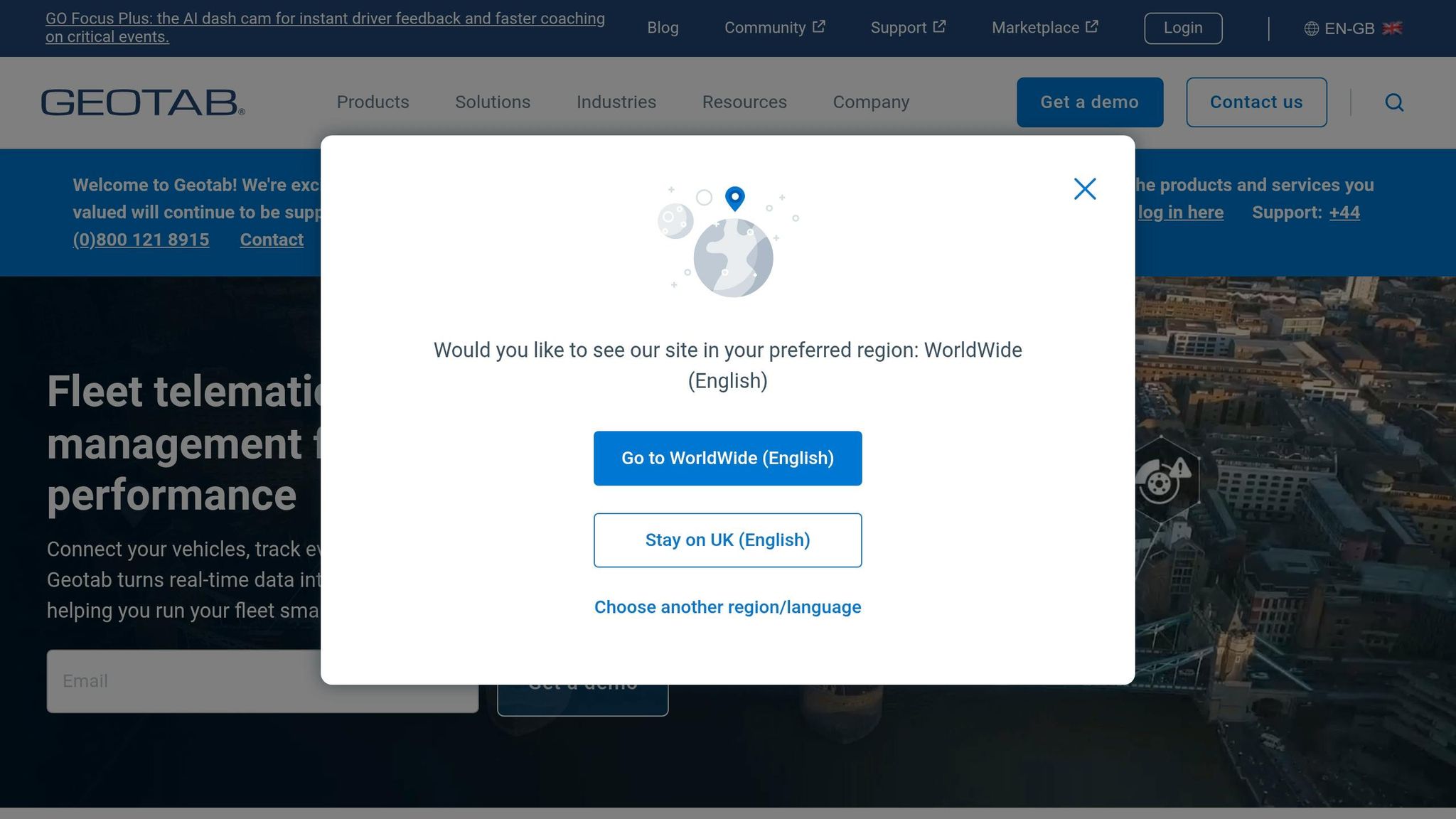
Geotab is a strong fit for larger UK fleets that want route planning, dispatch and vehicle tracking in one place.
Route planning depth
Planners can build multi-stop routes from addresses or service zones, lock the start and end points, and pick route profiles such as Reduce drive time, Balanced or On-time arrival. That gives teams a bit more control over how each run is built, whether the goal is shaving time off the road or hitting delivery windows more closely.
After the run, MyGeotab can compare planned mileage and driving time against what happened on the day. That makes it easier to spot gaps and tighten up future routes.
Dispatch and mobile job assignment
Once a route is set, it can be pushed to the driver's Geotab Drive mobile app for turn-by-turn navigation at each stop. If the schedule shifts mid-route, the office can use Find nearest vehicle to see which driver is closest and send updated instructions straight to the app.
Marketplace add-ins such as doForms Mobile Dispatch can take this further and turn it into a fuller job assignment setup. In practice, that means route changes, dispatch updates and arrival details stay inside the same workflow instead of bouncing between tools.
Driver messaging, job notes and status updates
The same app can send job notes and status updates back to the office. So drivers can flag changes from the road without stopping to ring in, and dispatchers get a live view of how jobs are moving across active routes.
ETA updates and customer notifications
The driver app shows ETAs for each stop, while MyGeotab compares actual arrival and departure times with planned time windows. That side-by-side view helps teams see where routes are running to plan and where they are slipping.
Fleets can also connect marketplace tools such as Route4Me Notify4Me to send text or email alerts when a driver is on the way or delayed. For customer-facing work, that can cut down on the usual “Where’s my driver?” calls.
Tracking data and UK pricing
Geotab's GO devices feed GPS position, mileage, speed and driving behaviour data into MyGeotab, giving managers the visibility to review mileage and fuel-related performance. If you're running a larger fleet, that sort of detail matters because small inefficiencies can add up fast.
UK pricing is usually charged per vehicle, per month, and it varies by reseller, hardware, software package and any add-ons included.
3. OptimoRoute
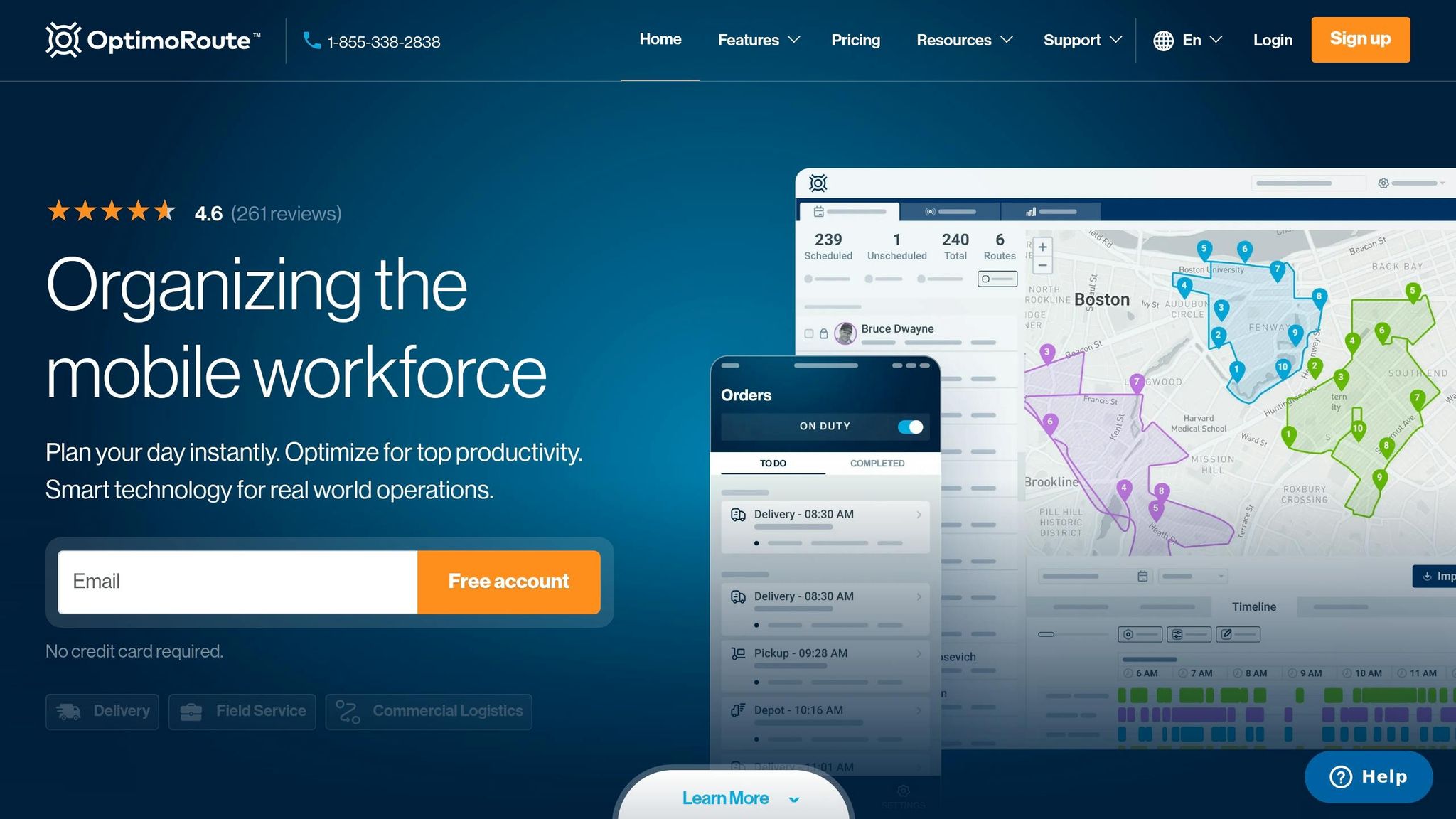
OptimoRoute is a strong fit for fleets where route complexity matters more than vehicle diagnostics. It’s built for delivery and field service teams that need multi-stop routing, mobile dispatch, driver tracking, and ETA updates.
Route planning depth
This is where OptimoRoute stands out. It can optimise hundreds of orders in seconds, and higher-tier plans can handle thousands of orders at once. Dispatchers can build routes around working hours, vehicle capacity, service areas, delivery windows, and HGV routing rules.
That level of control can make a big difference day to day. Fresh food distributor T'SAS reported a 20% increase in delivery capacity after moving to OptimoRoute, while still keeping deliveries on schedule.
Dispatch and mobile job assignment
Once routes are ready, they move straight into the driver app. Planners build routes in the web interface, then send them to the OptimoRoute Driver App on iOS or Android. Drivers can see their schedule, route map, job details, and navigation in one place.
The handoff from office to driver is simple, which matters when things change fast. Dispatchers can add rush jobs to the nearest suitable route and make live changes without affecting stops that are already done. Drivers can mark jobs as complete, leave notes, and collect proof of delivery with photos and signatures. If signal drops out, the app can sync updates when coverage comes back.
ETA updates and customer notifications
Live tracking turns route plans into arrival updates that customers can actually use. Customers can get SMS or email alerts with a live tracking link, while operations teams watch breadcrumb trails and Realtime Order Tracking across active routes.
That means fewer “Where’s my driver?” calls and a clearer picture of what’s happening on the road.
Tracking data and UK pricing
After the run, OptimoRoute shows where the plan worked and where it drifted. Route history compares planned and actual arrival times, stop durations, and total distance driven. Managers can use that data to spot repeat delay hotspots and then adjust time windows or departure times.
Pricing is based on a per-driver monthly model. Published entry pricing starts at about US$35.10 per driver per month, and there’s a 30-day free trial. A UK user review puts the cost for three drivers at about £105 per month, plus text fees.
4. Circuit Route Planner
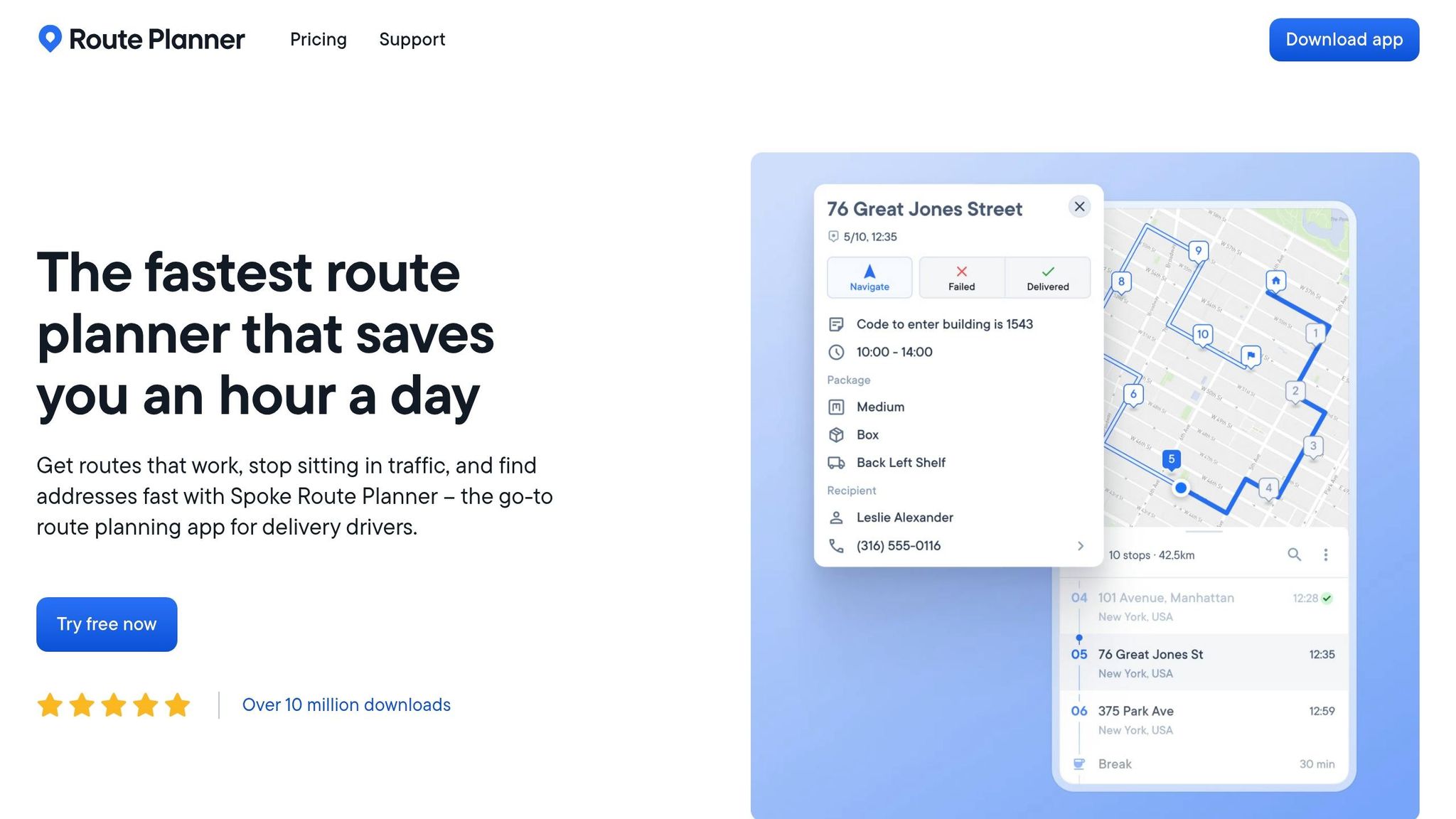
For smaller courier fleets, Circuit keeps route planning simple: fast planning, driver apps, and basic ETA control. It doesn't try to be a full telematics platform. Instead, it sticks to route sequencing, dispatch, and ETA updates. That makes it a good fit when speed matters more than deep vehicle data.
The free plan is capped at 10 stops, while the Premium plan at £20 per month removes that cap and adds time windows, priority stops, and custom stop durations.
Route planning depth
Drivers can upload a spreadsheet of addresses and build an optimised delivery round in minutes. Circuit supports delivery time windows, priority stops, and custom stop durations, which is enough for most scheduled multi-drop work. In plain terms, it covers the day-to-day needs of courier rounds and small fleets without piling on extra tools many teams won't use. This simplicity is often preferred by van tracking for rental and leasing companies that prioritize security over complex logistics.
Dispatch and mobile job assignment
The team product adds a dispatcher console alongside the driver mobile apps. Planners can upload the day's jobs, optimise routes across several drivers, and send each route straight to drivers' smartphones. If plans change mid-shift, dispatchers can re-optimise and push updated routes right away.
Drivers get stop lists, job notes, and navigation in the app. Circuit also supports basic job notes and status updates, but it doesn't offer full in-app messaging. Proof of delivery photos and signatures are kept for higher tiers, which makes the lower plans less suited to fleets that lean heavily on PoD.
ETA updates and customer notifications
ETAs update on their own as drivers complete stops. Customers can also get tracking links or ETA alerts, which helps keep delivery follow-ups down.
Tracking data and UK pricing
Circuit stores route history, but it doesn't give you full vehicle-level telemetry. There are no engine, idling, or fuel reports. So this is a route planning tool first, not a fleet telemetry system.
On pricing, the individual Premium plan costs £20 per month and comes with a 7-day trial. Team pricing changes based on stop volumes and feature access, and proof of delivery is reserved for the higher tiers.
5. Kelgray Route Companion Pro
Kelgray Route Companion Pro is a good fit for UK fleets that want route planning and proof of delivery in the same mobile setup. Kelgray adds proof of delivery to the planning, dispatch and ETA workflow already mentioned above, which makes it a solid option for everyone from van fleets to larger courier teams.
Route planning depth
The routing engine can plan up to 250 stops per route. That makes it well suited to dense multi-drop work, like parcel rounds, wholesale delivery runs and scheduled field service visits. If jobs shift during the day, planners can re-optimise routes, and the system can also import pre-planned routes from other scheduling tools.
Dispatch and mobile job assignment
The browser-based back office sends routes straight to driver devices. Drivers get stop order, addresses, navigation and job notes on mobile, with turn-by-turn guidance through CoPilot or TomTom. In practice, that means route updates and job completion status stay in one place instead of bouncing between tools.
ETA updates and customer notifications
Route Companion Pro includes live GPS vehicle tracking, so operations teams can see live location and ETA as the day unfolds. As each stop is updated by the driver, the office can pass location and ETA details on to customers, which helps support more accurate deliveries.
Tracking data and UK pricing
The platform records stop-level timestamps, route completion data and ePOD records, including signatures and photos taken at each drop. That gives fleets a clear way to compare planned versus actual performance, spot postcode areas where delays keep showing up, and cut wasted mileage.
Pricing is quote-based and charged per vehicle, per month.
6. Webfleet
Webfleet is a fleet management platform built on TomTom maps and live traffic data. It suits UK fleets that want routing, live visibility and driver communication in one system. It works best when route planning needs to sit alongside day-to-day fleet control.
Route planning depth
Webfleet supports automatic route optimisation, which works out the fastest order for multiple stops using historical and live traffic data. That can help cut mileage and time on the road. It also supports truck-specific navigation, which matters for HGV operators that need to avoid low bridges and restricted roads.
Dispatch and mobile job assignment
After routes are planned, the platform sends them straight to the driver app. Webfleet Mobile lets managers track vehicles, check live traffic, dispatch jobs and get alerts on a smartphone or tablet. The Webfleet Work App gives drivers navigation, task management, job notes and working-time logs on Android.
ETA updates and customer notifications
Webfleet's ETA model uses distance, average speed, departure time and stop duration to estimate arrival times.
Tracking data and UK pricing
Trip history, mileage reports, geofencing and driver ID give managers a clear view of whether schedules are being followed and where empty running can be cut.
UK pricing is quote-based:
- around £10–£15 per vehicle per month for core GPS tracking
- £20–£25 for routing and dispatch
- £30–£35 for advanced packages
- plus £100–£200 for hardware
7. Samsara
Samsara brings routing, dispatch, messaging, live tracking and ETA sharing together in one platform.
Route planning depth
Samsara handles multi-stop, multi-vehicle routing and can work with constraints such as time windows, service durations, vehicle capacities and driver skills. It can also generate an optimised plan automatically. On top of that, it collects location data with second-by-second updates.
Dispatch and mobile job assignment
Office teams can create jobs or routes in the web dashboard, then assign them to specific drivers or vehicles. Those jobs appear in the Samsara Driver App as an ordered list of stops, complete with navigation links and job details.
If a job is added, changed or cancelled, the dispatch workflow updates automatically. Samsara also includes two-way driver-dispatch messaging, so office staff can send instructions or safety alerts and get replies in the same system. That means route changes, messages and arrival times stay in sync.
ETA updates and customer notifications
Samsara creates stop-level ETAs by combining average stop durations with traffic-aware travel times. Operations teams can track trip progress in real time and compare planned versus actual arrival times and distances in dedicated reports.
Customers can receive Live Sharing links, as well as email and text alerts, with ETA data feeding into tracking pages.
Tracking data and UK pricing
Samsara collects GPS, odometer, fuel level and idling data. Its Planned vs Actual reports show where mileage, stop times and route choices drift from plan.
Fuel usage reports, idling alerts and driver coaching tools can help cut waste. The platform can also route drivers to preferred fuel vendors at the lowest real-time price.
In the UK, Samsara is usually priced at £20–£50 per vehicle per month, plus £50–£150 per vehicle for installation and £100–£400 per hardware unit. That places it at the higher end of the market.
Use the table below to compare routing depth, dispatch tools, ETAs and pricing at a glance.
At-a-Glance Comparison Table
The table below gives you a quick side-by-side view of fleet fit, route planning, dispatch, ETAs and pricing.
A few of these tools use quote-based pricing, so the figures shown here are indicative UK ranges.
| Tool | Best Fit | Route Planning | Dispatch & Mobile App | Driver Messaging | ETA & Customer Updates | Tracking Depth | Indicative UK Pricing |
|---|---|---|---|---|---|---|---|
| GRS Fleet Telematics | UK van fleets focused on security, theft recovery and lower running costs | Basic routing via integration; main strength is live tracking and security | Live vehicle visibility via web and mobile; basic routing via integration | Geofence and zone alerts; driver behaviour monitoring | Live ETAs and vehicle location for operations teams | Real-time GPS; dual-tracker security on higher tiers; geofencing; immobilisation | Hardware: £35 / £79 per vehicle (one-off, ex VAT); software: £7.99 per vehicle/month (ex VAT) |
| Geotab | Mid-to-large mixed fleets that need deep telematics data | Multi-stop routing; more advanced options via MyGeotab marketplace add-ons | Web dashboard with driver mobile app; job assignment and status sync | Two-way messaging | ETAs via integrated routing apps; real-time progress tracking | GPS, driver behaviour, fuel, odometer and tachograph data | Quote-based |
| OptimoRoute | Service and delivery fleets with time-window or multi-day needs | Strong multi-stop, multi-vehicle optimisation; time windows, service times and driver workload balancing | Web planner pushes ordered stop lists to driver mobile app (iOS/Android); live status sync | Structured job statuses per stop; notes and proof of delivery capture | Live ETAs for planners; automated SMS/email tracking links for customers | Live GPS tracking; mileage and stop-time reporting | From approx. £28–£39 per driver/month (based on US$35.10–$49 entry tiers) |
| Circuit Route Planner | Owner-drivers, micro-fleets and last-mile delivery rounds | Fast multi-stop route optimisation on mobile; simple and quick to use | Mobile-first route management; limited enterprise dispatch | Simple stop status updates | Customer notification links with live ETA; automated alerts when driver is nearby | Live GPS tracking during active routes | Quote-based |
| Kelgray Route Companion Pro | UK-focused multi-drop, milk-round and HGV-aware fleets | UK-focused multi-drop routing; HGV-aware options; recurring route support | Mobile app for drivers with route lists and stop management | Basic status updates | Planner and driver ETA visibility; limited direct customer notifications | Live GPS tracking | Quote-based |
| Webfleet | Mixed and HGV fleets needing compliance and integrated navigation | Route optimisation with traffic data; HGV-safe routing via driver terminals | Cloud dashboard dispatches to driver terminals or Work App (iOS/Android) | Two-way messaging between office and cab; driver behaviour feedback in-app | Real-time ETAs with traffic; arrival window alerts for operations teams | GPS/GLONASS tracking; driver behaviour scoring; tachograph integration; fuel and idling reports | Quote-based |
| Samsara | Large and enterprise fleets needing an all-in-one platform | Multi-vehicle, multi-stop optimisation with time windows, capacity and driver skill constraints; second-by-second location updates | Web dashboard assigns jobs to driver app (iOS/Android); ordered stop list with navigation links; real-time status sync | Two-way in-app messaging; safety alerts and driver replies in one system | Stop-level ETAs using traffic and average stop durations; Live Sharing links plus SMS/email alerts for customers | GPS, odometer, fuel and idling data; route performance reports | c.£20–£50 per vehicle/month; hardware £100–£400 per unit; installation £50–£150 per vehicle |
Use this snapshot to cut the shortlist down by fleet type.
Which Tool Fits Which Type of Fleet?
Pick based on fleet size, route complexity and the problem that hurts most: late ETAs, theft, failed deliveries or SLA breaches.
This table helps you move past feature-by-feature comparisons and get to the best fit for your fleet type.
| Fleet Type | Main Need | Recommended Tools | Why |
|---|---|---|---|
| Small courier fleets (3–30 vehicles) | Fast, flexible route planning and on-the-day re-sequencing | Circuit Route Planner, Kelgray Route Companion Pro | Fast setup and easy re-sequencing work well for small daily rounds. |
| Last-mile delivery teams | Accurate ETAs and customer communication to reduce failed deliveries | OptimoRoute | Live ETA updates can cut failed drops and inbound calls. |
| Field service engineers | Time-window scheduling and SLA compliance alongside travel efficiency | OptimoRoute, Webfleet, Samsara | Time windows, repeat visits and SLA timing call for tighter scheduling control. |
| Security-conscious van operators | Vehicle and asset protection with fast theft recovery | GRS Fleet Telematics | Dual-tracker security and fast recovery help protect high-risk vans and tools. |
| Larger telematics-led fleets | Fleet efficiency, compliance and driver behaviour data at scale | Geotab, Webfleet, Samsara | Deep data matters more when small gains add up across a large number of vehicles. |
| POD-heavy businesses | Structured POD capture and quick retrieval | OptimoRoute, Webfleet, Samsara | Structured POD capture and quick retrieval help with audits and dispute handling. |
Once you know your fleet type, the last call usually comes down to deployment speed, reporting depth and budget.
Light mobile planners are a good fit for quick setup and basic routing. Deeper telematics setups make more sense for fleets that need tracking, security and compliance data in one place.
Match the tool to the level of control you want: route planning only, or routing plus live tracking, security and reporting.
Pros and Cons by Tool Type
The seven tools above don’t all do the same job. Some are built for fast route planning. Some go much deeper into vehicle data and fleet oversight. Others put theft protection and tracking first.
This table groups the tools by the main problem they solve, so the trade-off is easier to scan: speed, depth, or security.
| Tool Type | Strengths | Limits | Pricing Approach |
|---|---|---|---|
| Routing-first apps (e.g. Circuit Route Planner, OptimoRoute, Kelgray Route Companion Pro) | Fast multi-stop planning, easy-to-use driver app, quick setup with no hardware, easy daily re-sequencing | Limited vehicle-level data, no engine or fuel diagnostics, phone GPS is less reliable than hardwired tracking | Per user/month |
| Telematics-led platforms (e.g. Geotab, Webfleet, Samsara) | Always-on hardware tracking, fuel and engine data, driver behaviour monitoring, compliance reporting and DVSA support | Higher cost and setup complexity, longer onboarding, can be overkill for smaller fleets | Device fee plus monthly subscription, often on a multi-year contract |
| Security-led tracking systems (e.g. GRS Fleet Telematics) | Dual-tracker technology, tamper-resistant hardware, affordable entry point | Routing and dispatch are secondary to theft protection and tracking | Hardware from £35 one-off, plus £7.99 per vehicle/month |
A simple way to read this: if you want drivers on the road fast, start with routing-first apps. If you need fuel, engine, and compliance data, look at telematics platforms. If stolen vehicle recovery sits at the top of your list, security-led systems make more sense.
Use this split to narrow your shortlist before the final recommendation.
Conclusion
The big decision is simple: route-planning tools or full telematics platforms. Get that call wrong, and you can end up paying for features your fleet will never touch. In practice, the choice comes down to a few day-to-day needs: planning, dispatch, messaging, ETAs and tracking.
After that, fleet size helps narrow things down. Smaller fleets can do well with app-based route planners. Larger teams usually need live ETAs, centralised dispatch and route monitoring during the day.
The same logic applies to drivers. If they only need routes sent to their phones, a lighter planner will do the job. If they also need status updates, proof of delivery, job notes and regular back-and-forth with the office, go for a tool that handles the whole job flow.
When you compare pricing, look at the monthly cost per vehicle or driver - and match that against what the system actually helps the business do.
Pull those checks together, shortlist the tools that fit your daily work, and choose the one that cuts wasted miles, improves driver-office communication and stays within budget.
FAQs
How do I choose between route planning and telematics?
It comes down to your day-to-day goals.
Route planning tools work out the best delivery order based on traffic, stop numbers, and vehicle limits. The aim is simple: cut wasted time and use less fuel.
Telematics gives you the live data that makes that possible. It tracks vehicle location, driver behaviour, and engine data in real time.
Using both tends to work best. Telematics sends live data into route planning software, so routes can match what’s actually happening on the road.
What pricing model should I check first?
First, check the monthly subscription cost per vehicle. In the UK, this is often charged as a recurring monthly fee, such as £7.99 per month.
Then look at what’s included in that price. Does it cover one-off hardware costs, professional installation, or higher-tier packages with extra features? It’s also worth checking if VAT is excluded, and whether there are added charges for data usage or account management.
Which features matter most for a UK multi-drop fleet?
The most important features are live route updates and UK compliance. Look for route recalculation that reacts to traffic, roadworks and last-minute schedule changes, plus telematics integration to track vehicle limits, driver behaviour and fuel use.
Precise ETAs, automated customer notifications, ULEZ geofencing, DVSA reporting and driving-hours alerts also help keep operations efficient and compliant.