
Fleet Capacity Planning Software: Buyer Guide
How to choose fleet capacity planning software: compare planning tools, data quality, access, reporting, costs and contract terms.
 By Michael Bar9 min read
If I were buying fleet capacity planning software today, I’d judge it on six things: planning tools, data quality, user access, reporting, total cost, and contract terms. That’s the short answer.
For most UK fleet teams, the goal is simple: stop planning in spreadsheets and get a live view of vehicles, drivers, depots and demand. Before I shortlist any supplier, I’d check whether the system can:
- show current and forecast capacity
- test what-if scenarios
- apply rules and approval flows
- pull in live telematics data
- control who can see and edit data
- track utilisation, downtime, empty running and cost-to-serve
- price clearly over 36 months
- set out support, renewal and exit terms in plain English
A few numbers matter early. The article points to software costs of roughly £10–£20 per vehicle per month for basic tools, £20–£40 for mid-range systems, and £40–£70+ for enterprise platforms. It also notes setup fees of around £500–£5,000, training costs of £200–£1,500, and telematics solutions from £7.99 per vehicle per month plus hardware.
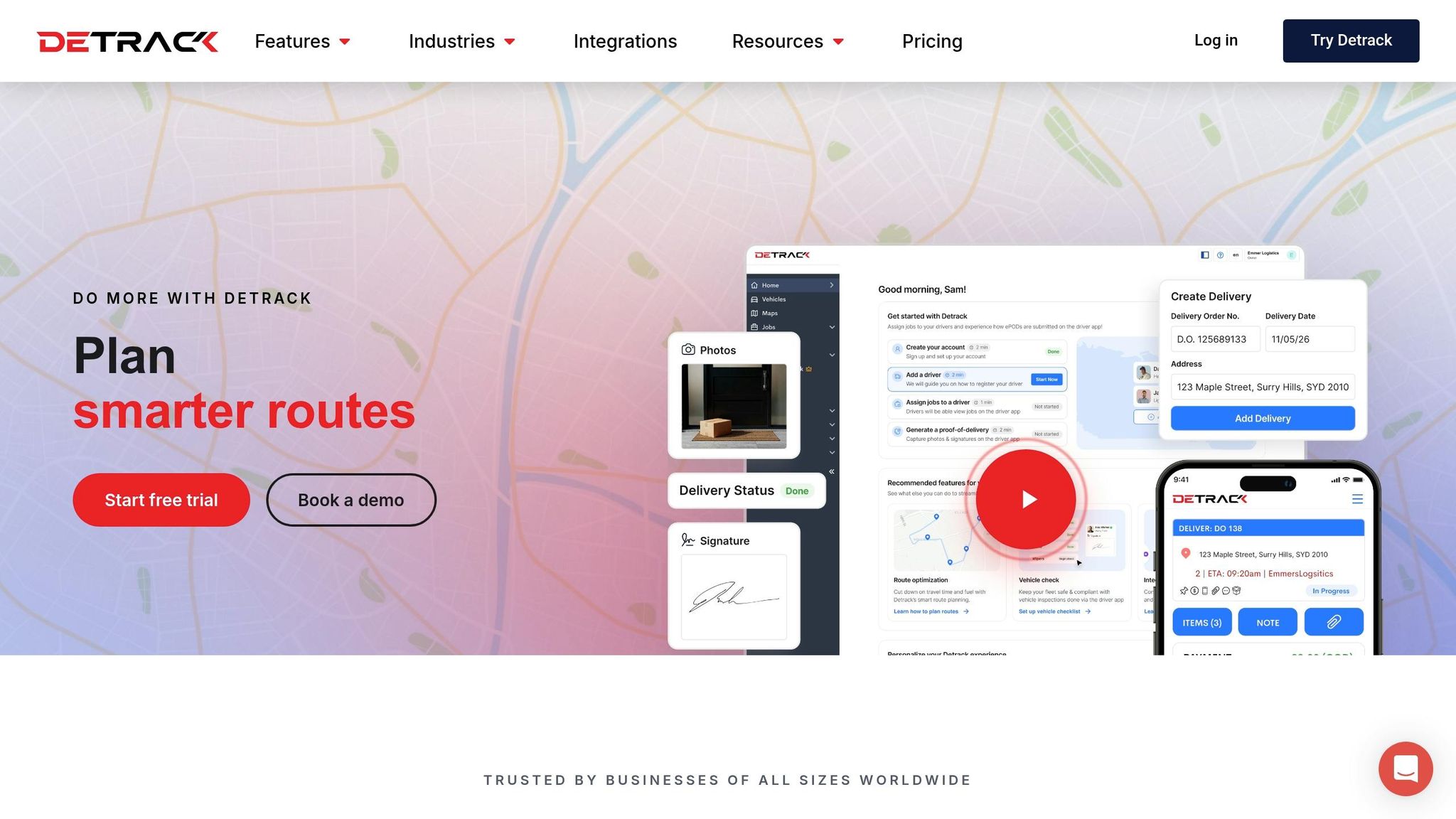
How to track vehicle capacity utilization with Detrack
Quick comparison
| What I’d compare | What I’d look for |
|---|---|
| Planning | Capacity views, forecasting, scenario testing |
| Controls | Rules, alerts, approvals, override logs |
| Data | Vehicle status, maintenance, live location, API feed checks |
| Access | Role-based views, field-level permissions, MFA, offboarding |
| Reporting | Planned vs actual, utilisation trends, depot bottlenecks, unmet demand |
| Cost | Monthly fee, setup, training, telematics, support extras |
| Contract | Minimum term, notice, renewal uplifts, scaling rules, data export |
My view: a tool is only worth buying if it helps you use vehicles and driver hours better, cut planning mistakes, and protect service levels. Everything else - demos, sales pitch, pricing pages - comes after that.
Core features to compare before shortlisting software
Start with the features that shape day-to-day planning.
Capacity views, forecasting and scenario planning
A good tool should show current and forecast capacity across vehicles, drivers and depots. Planners need to see what’s available now, what’s likely to be available later, and where pressure is building.
Forecasting can help improve demand accuracy and cut short-notice capacity gaps. That matters because last-minute scrambles usually lead to poor allocation choices, extra admin and avoidable disruption.
Scenario planning adds another layer. It lets planners test what-if situations before they hit live operations. For example, they can check what happens if demand spikes, a depot loses vehicles, or driver availability drops.
Rules, workflows and exception alerts
Configurable rules should apply allocation limits and operational constraints automatically. That helps planners stay within set boundaries without having to check every detail by hand.
Exception alerts should flag over-allocation, missed capacity limits and urgent schedule changes early. The earlier those issues show up, the easier they are to deal with before they turn into missed jobs or service problems.
Approval workflows should control changes that need sign-off. This is especially useful when planners need to adjust schedules, shift capacity or override normal rules.
These controls only work when the system is fed with accurate operational data.
Data inputs and telematics links that keep plans accurate
The next buying test is simple: can the system take in accurate operational data?
Operational data the system needs
At a minimum, the system needs accurate vehicle location and utilisation data, along with maintenance status and other day-to-day information that affects whether a vehicle is actually available.
Maintenance status is easy to miss, and that causes problems fast. A vehicle booked in for a service next Tuesday is not spare capacity. But if that detail never reaches the system, it will still show up as available and may be allocated anyway.
That’s where telematics helps. It keeps those inputs current without relying on manual updates.
How telematics supports real-time planning
Manual updates create delays, which means planners end up working from old information. Telematics integration cuts out that lag by sending live vehicle data straight into the planning platform through direct integrations.
Focus on live location and real-time vehicle status data first. Those are the inputs that tell the system what is genuinely available at that moment.
When you review any telematics link, look closely at two things:
- API update frequency
- How the system deals with connection failures
A feed that fails silently and falls back to stale data is a planning risk. On paper, everything may look fine. In practice, the plan is already off.
Once the feed is dependable, the next buying question is who can view the data, change it, and report on it.
User access, reporting and how to compare software options
Once your data is dependable, the next step is simple: check who can see it, what they can edit, and which reports show the system is paying off. Live vehicle data is only useful when the right people can view the right parts of it.
Role-based access for planners, managers and drivers
Different teams need different views.
Planners need forecasting and allocation tools. Managers need live utilisation data and exception alerts. Depot managers need site-level views. Drivers should only see route, load and live-update details. Finance teams usually need read-only KPI and cost reports.
If access control is weak, you get two problems at once. People either see data they shouldn't, or they can't get the data they need to act. That's why granular permissions matter. Look for module-level and field-level controls so access can be set with care, not with a blunt all-or-nothing rule.
Access should also split operational data from commercial data. Customer rates, contract terms and margins should stay out of sight for anyone who has no reason to view them.
Audit trails matter as well, especially for UK fleets that need to pass compliance checks. Every change to a capacity plan, every manual override, and every edit to a vehicle or driver assignment should be logged with:
- user ID
- timestamp
- before-and-after values
That log should be exportable for compliance review. It's also worth checking for multi-factor authentication on remote access, plus a clear offboarding process for removing access when staff leave.
Once access is under control, reporting shows whether the plan is working in practice.
Reports that show utilisation and cost impact
Focus on reports that connect planning choices to cost, service and asset use. That usually means planned vs actual utilisation, vehicle utilisation trends, depot bottlenecks, unmet demand, empty running and downtime impact.
Use the table below when shortlisting suppliers so you can score each one in the same way.
| Capability | Vendor A | Vendor B | Vendor C |
|---|---|---|---|
| Role-based access (planners/managers/drivers) | |||
| Granular permissions (module and field level) | |||
| Audit trails for plan changes | |||
| Planned vs actual utilisation reporting | |||
| Telematics integration (e.g. white-label van tracking) | |||
| Cost-to-serve by customer/route | |||
| Export options (Excel, PDF) |
In a demo, ask to see a depot utilisation filter, an Excel export and a live exception alert. Then put that side by side with pricing, contract length and support.
Pricing, contract terms, support and a final buying checklist
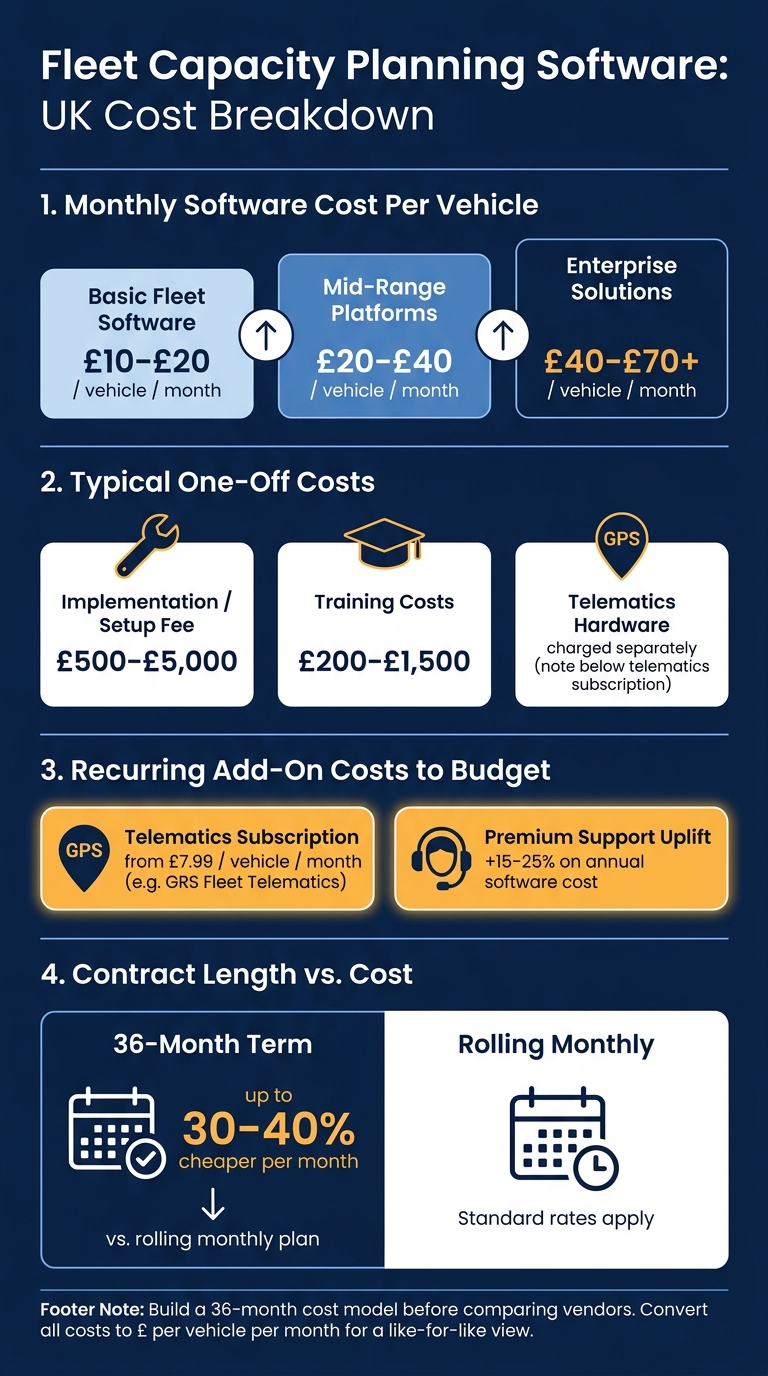
Fleet Capacity Planning Software: Cost Breakdown & Pricing Tiers (UK)
Cost points to check before signing
Once the software does the day-to-day job, the next step is simple: price the whole contract, not just the headline monthly fee.
Build a 36-month cost model before you compare vendors. Split one-off costs from monthly charges, then convert everything into £ per vehicle per month. That gives you a like-for-like view, which is what you need when one supplier bundles setup and another puts half the bill in the small print.
Typical costs sit around:
- £10–£20 per vehicle per month for basic fleet software
- £20–£40 for mid-range platforms
- £40–£70+ for enterprise solutions
One-off implementation fees often land between £500–£5,000, while training can add £200–£1,500.
If your capacity planning software depends on a live telematics feed, treat that tracking subscription as a core cost, not a nice-to-have. GRS Fleet Telematics starts from £7.99 per vehicle per month, with hardware charged separately. Add that into the model from the start, otherwise the numbers can look better on paper than they do in practice.
Support standards and contract terms
After price, turn to support and exit terms. This is where plenty of deals start to wobble.
At a minimum, ask for UK business-hours support, SLA response times by severity, a named UK account manager, and quarterly service reviews. Premium support can add 15–25% to annual software costs, so pin down what the base fee covers and what only comes with an upgrade.
Contract terms matter just as much. The big points are the minimum term, notice period, and renewal conditions. A 36-month commitment can be 30–40% cheaper per month than a rolling monthly plan, which sounds good until your fleet changes and you're stuck paying for something that no longer fits.
Check the details carefully. Can you reduce vehicle or user numbers mid-term? How are renewal price rises handled? What rights do you have to export your data when the contract ends? Also confirm how VAT is treated. Some pricing pages show figures excluding VAT and base them on a 36-month term, which can skew year-one budget comparisons.
Use the same commercial scorecard for every vendor. It keeps the process clean and stops a polished sales pitch from hiding a weak contract.
| Commercial term | What to confirm |
|---|---|
| Per-vehicle licence (£/month) | Exact figure; whether it varies by vehicle type |
| Per-user licence (£/month) | Planner, manager and back-office rates |
| Telematics cost (£/vehicle/month) | Included or separate; hardware and SIM fees |
| Implementation fee (one-off £) | What is in scope; what counts as a chargeable extra |
| Data migration | Formats accepted; cleansing included or billed separately |
| Training | Sessions included; cost of refreshers for new starters |
| Support SLA | Response times by severity; UK hours; escalation path |
| Account management | Named contact; service review cadence |
| Minimum term | 12, 24 or 36 months; early exit charges |
| Notice period | Days required; auto-renewal conditions |
| Price uplift at renewal | CPI-linked or discretionary; maximum cap |
| Scaling mid-term | Rules for adding or removing vehicles and users |
| Data export and exit | Format, timeline and any transition assistance fees |
FAQs
How do I know if I’ve outgrown spreadsheets?
You’ve probably outgrown spreadsheets if you’re leaning on monthly averages that hide downtime or miss what’s happening right now. Manually tracking fuel use, maintenance costs, and vehicle utilisation can also split your data across different files, eat up time, and lead to more mistakes.
If your fleet generates a large amount of data that needs constant formatting, a digital platform can help with automated reporting, real-time processing, and centralised dashboards.
What data is most important for accurate capacity planning?
Accurate capacity planning works best when you bring internal and external data together. That gives you a complete view of what’s happening across the operation, instead of relying on just one part of the picture.
On the internal side, the key inputs usually include historical sales and telematics data. That covers things like vehicle location, idling, fuel use, driver behaviour and route history. It also includes maintenance logs, engine diagnostics and delivery schedules.
External data matters just as much. That includes market trends, consumer behaviour, economic conditions, weather, local events and UK regulatory constraints, such as Low Emission Zone boundaries.
What should I check before signing a 36-month contract?
Before you sign a 36-month contract, check exactly what the subscription fee covers. That means software access, automatic updates, customer support, and any hardware included in the deal.
You should also confirm compliance with UK GDPR and the Data Protection Act 2018. Then look closely at scalability, exit terms, audit rights, and service-level commitments to make sure they fit your business needs and long-term financial plans.