Fleet Data Ingestion vs Normalization
Why ingestion matters for timely telematics data and normalisation for consistent, usable reports, alerts and theft response.
 By Michael Bar9 min read
If I had to sum it up in one line: telematics APIs get fleet data into the system, and normalisation makes that data usable.
If you run a mixed fleet, that split matters straight away. One part affects what you can see now on live maps and alerts. The other affects whether reports, scorecards, and compliance records line up later.
Here’s the short version:
- Ingestion pulls in raw data from trackers, GPS units, OBD-II, and CAN bus feeds.
- Normalisation turns mixed field names, units, and timestamps into one shared format.
- Ingestion problems can lead to delayed positions, missing trips, and late theft alerts.
- Normalisation problems can lead to bad mileage figures, broken reports, and mismatched vehicle records.
- You need both if you want tracking, alerting, and reporting to work across more than one device type.
A few points stand out to me:
- Devices may report the same thing in different ways, such as
ignitionStatus,engine_on, or a numeric value. - Buffering on the device helps when signal drops, so trip history does not disappear.
- UK fleets also need one format for miles, GBP (£), and dates such as 2026-07-25.
- In the GRS example, data from a main tracker and a Bluetooth backup tracker must be treated as one stream.
- That flow supports theft response, including stolen vehicle recovery.
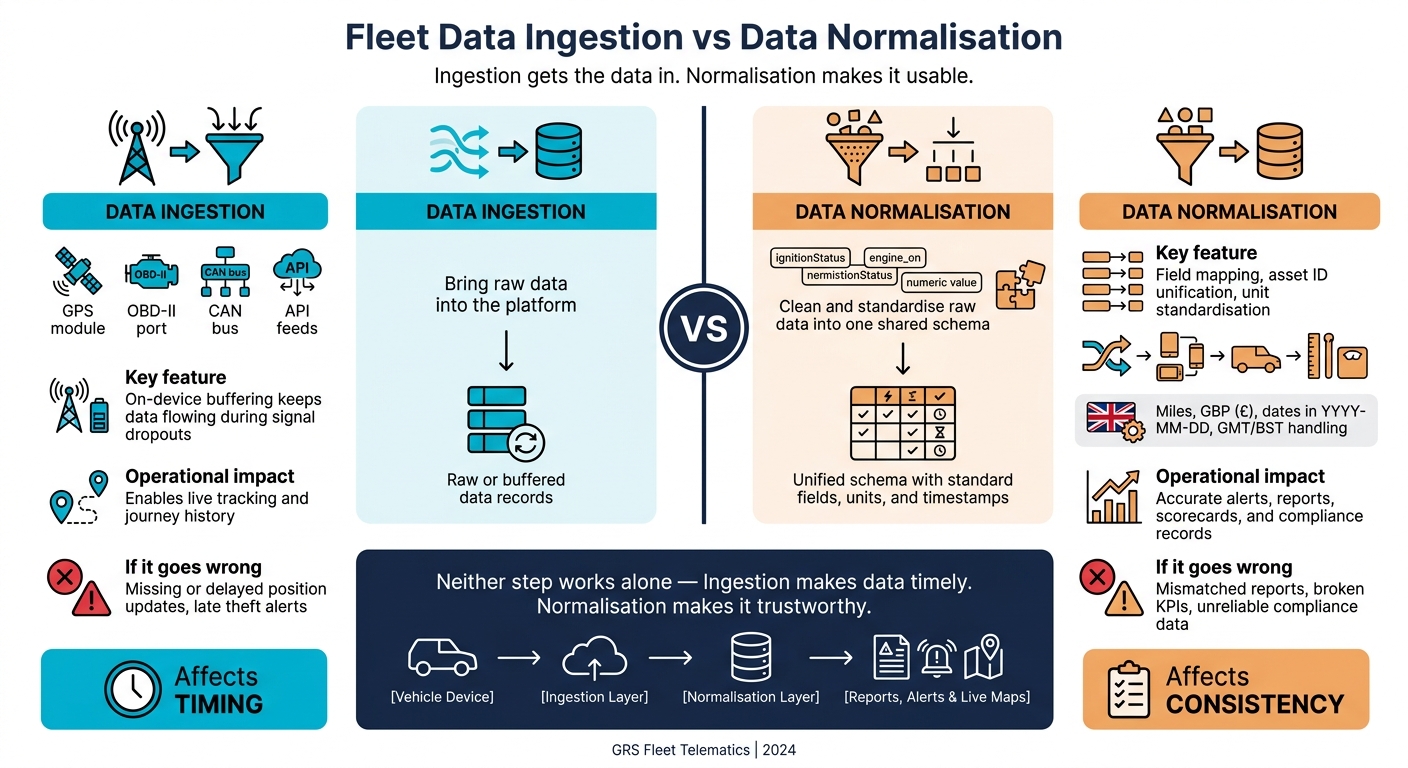
Fleet Data Ingestion vs Normalisation: Key Differences at a Glance
Quick Comparison
| Area | Data Ingestion | Data Normalisation |
|---|---|---|
| Main job | Bring raw data into the platform | Clean and standardise that data |
| Input | GPS, CAN bus, OBD-II, API feeds | Mixed records from different devices |
| Output | Raw or buffered records | One shared schema |
| Main impact | Real-time tracking and trip history | Alerts, reports, and data quality |
| If it goes wrong | Missing or late updates | Confusing reports and mismatched values |
Put another way: ingestion affects timing; normalisation affects consistency. I’d treat them as two linked steps, not one.
What Data Ingestion Does in a Telematics Stack
Where ingestion sits and what data enters it
Ingestion sits between the vehicle device and the platform’s processing layer.
The raw data that enters this layer comes from a few places. OBD-II ports and direct CAN bus connections send engine speed, fuel use, fault codes, and ignition status. GNSS/GPS modules provide location and speed. The device then sends that data to the cloud over cellular networks, with MQTT often carrying the data from device to cloud.
Put simply, ingestion gets the data into the system. Normalisation is the next step, where those mixed inputs are made consistent.
What ingestion solves for live fleet operations
The main issue ingestion deals with is reliability and continuity. A well-built ingestion layer keeps data moving into the platform even when connectivity drops.
Here’s how that works in practice: on-device buffering lets the device store records in onboard memory during a signal dropout, then send them once the connection comes back. That stops live tracking from going stale when the signal disappears. It matters a lot in places with patchy coverage.
Multi-network or roaming SIMs also help, because the device can connect to whichever carrier has the strongest signal.
For live operations, delayed ingestion means delayed tracking. That’s why ingestion is what makes live tracking and journey history possible in the first place. The raw feed that comes in here is what normalisation standardises next.
What Data Normalisation Does After Ingestion
After ingestion, normalisation takes raw device data and puts it into one usable schema. It cleans, maps and standardises mixed telematics data into a single model. That consistency is what makes live alerts, maps and reports usable.
How normalisation turns mixed device data into one format
Different trackers often use different labels for the same reading. Field mapping fixes that by turning those differences into one shared format, so speed and fuel data mean the same thing on every device. In plain English, it stops one tracker saying one thing while another says the same thing in a different way.
That matters fast when you're dealing with a mixed fleet. Normalisation lets one speeding alert apply across the whole fleet, no matter the make or model. It can also decode make-specific fault codes into a common format, which helps mixed fleets spot maintenance issues earlier.
What normalisation solves for reporting and alerts
Without normalisation, reporting can go off track because the same vehicle may be identified differently across systems. Using one asset ID for each vehicle keeps reporting accurate.
It also gives dashboards and alerts a stable structure. That's most important during theft alerts and emergency recoveries, when teams need the data to line up without second-guessing what they're seeing. That's why normalisation matters alongside ingestion, not as a separate clean-up job afterwards.
Fleet Data Ingestion vs Normalisation: Key Differences and Why Fleets Need Both
Role, inputs and outputs compared
Ingestion moves raw device data into the platform. Normalisation turns that data into one consistent format for maps, alerts and reports.
Put simply, ingestion is the front door. It receives raw device data as it arrives, including GPS readings and CAN bus feeds. The job here is speed: get the data in and move it through the system.
Normalisation happens after that. It takes what ingestion has collected - mixed units, timestamps and field names - and turns it into clean records with standard fields and timestamps that the platform can use with confidence.
| Aspect | Data Ingestion | Data Normalisation |
|---|---|---|
| Purpose | Capture and transport raw data from devices and APIs | Transform raw data into a consistent, usable format |
| Role | Entry point - receives raw device data as it arrives | Processing layer - sits between ingestion and reporting |
| Inputs | Raw device data, API feeds and GPS signals | Mixed device outputs, varied units and inconsistent timestamps |
| Outputs | Buffered or streamed raw data records | Clean records with standard fields, unified units and standard timestamps |
| Operational effect | Enables real-time updates and live map movement | Ensures data is accurate and consistent across the whole fleet |
That split in roles is what helps keep live fleet operations accurate.
Why fleets need both for tracking, theft alerts and reporting
Neither step can do the whole job on its own. Ingestion without normalisation gives you fast data, but it can be messy and uneven. Normalisation without ingestion has nothing to work on in the first place.
The day-to-day point is simple: ingestion makes data timely. Normalisation makes it trustworthy. Used together, they keep live tracking, theft alerts and reporting accurate. That’s why both matter for live tracking, theft response and reporting.
How Strong Ingestion and Normalisation Support GRS Fleet Telematics
Reliable tracking and theft response
This is where the split between ingestion and normalisation stops being a back-end detail and starts affecting day-to-day fleet work. Every live location update on a fleet map depends on ingestion doing its job first. For GRS Fleet Telematics, that means both the primary tracker and the Bluetooth backup tracker sending data into the platform, with store-and-forward buffering helping to avoid gaps when mobile coverage drops. After that, the data has to be normalised before alerts and reports can do anything useful with it.
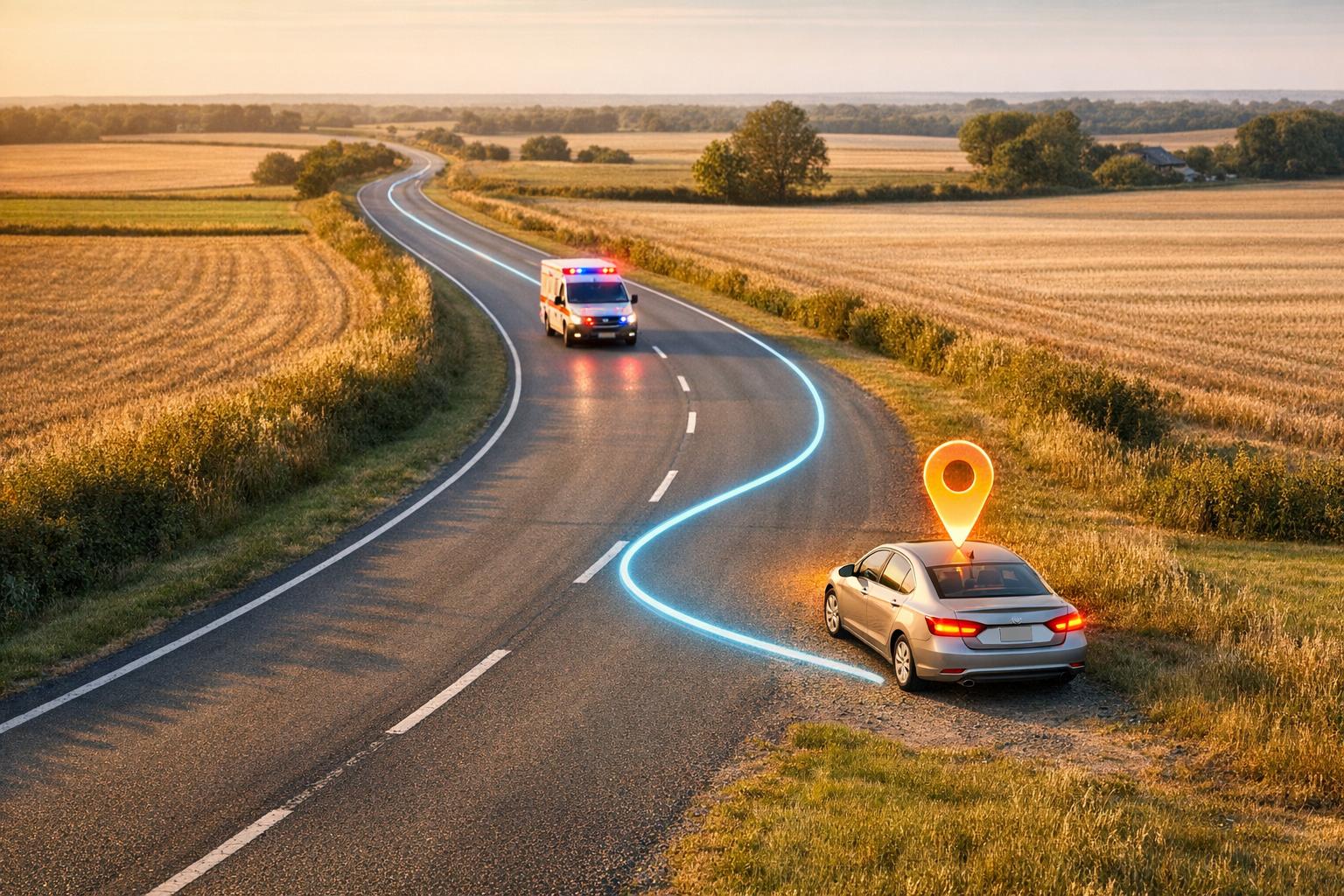
The dual-tracker setup matters most during theft response. If a primary tracker is cut or switched off, the secondary device can still send location data, but that only helps if the platform ingests it fast and normalises it into the same schema as the main feed. A tamper alert from one device and a location update from another need to be handled as a single event stream, not as two separate stories. That consistency helps teams act fast when a vehicle goes missing, and it sits behind GRS Fleet Telematics' stolen vehicle recovery.
Clean data for reporting, control and scaling
Once the data arrives, normalisation makes it usable across vehicles and device types. Trip distance, speed, and trip times from different trackers need to end up in the same format before a fleet manager can trust the numbers.
For UK operators, that also means lining data up with UK formats. Distances should be in miles, dates in YYYY-MM-DD, and costs in GBP (£). If units don’t match, or if GMT/BST handling is off, fuel reports and driver-hours records can drift out of line. That becomes a problem fast when records are checked for compliance. Bad formatting might sound minor, but it can throw off fleet KPIs and leave reports failing to match up.
With a normalised schema in place, new vehicles can drop into the same reporting setup without manual reconciliation.
Conclusion: Ingestion Gets the Data In, Normalisation Makes It Usable
Ingestion brings raw telematics data from devices and APIs into the platform. Normalisation then turns that raw stream into one consistent dataset that reports and alerts can trust. That split matters because each step handles a different job.
You see that gap straight away in live tracking and reporting. A fleet manager looking at trip distances in miles on one feed and kilometres on another can't rely on the dashboard. Ingestion keeps data flowing in on time. Normalisation makes that data trustworthy.
For theft response, the two steps have to work together, in sequence. Both are needed for tracking, theft alerts and reporting to work as they should. With a clean normalisation layer in place, fleet reporting stays accurate as the fleet grows.
Ingestion delivers the data. Normalisation makes it dependable.
FAQs
Can I ingest data without normalising it?
Yes, you can ingest raw data without normalising it. But that choice comes at a cost.
When data from different vehicles or tracking devices comes in using clashing formats, it’s much harder to combine and compare. One system may log mileage one way, another may use different labels, and a third may format timestamps differently. The result? Integration gets messy, and reporting can drift off course.
Normalisation brings that data into line. It aligns units, standardises naming, and fixes errors before they spread through the system. Without it, teams often end up reformatting data by hand and working with broken-up datasets.
That makes day-to-day tasks less dependable, including:
- theft alerts
- maintenance tracking
- performance reporting
In plain terms, skipping normalisation doesn’t stop data ingestion. It just makes the data harder to trust and use.
How does normalisation improve theft alerts?
Normalisation makes theft alerts more reliable by turning raw data from different vehicle makes and models into one consistent format. That gives your fleet management system a clear way to read location data, engine information and status updates without mixed signals.
Once everything follows the same baseline, the system can separate normal day-to-day activity from signs that something's wrong, like an unauthorised engine start or movement at an odd time. The result is fewer false alarms and a faster response when there’s a real threat.
What happens if fleet data uses different units?
If fleet data comes in different units, reporting and decision-making can go off track fast. Metric and imperial measures - like kilometres vs miles or litres vs gallons - can skew fuel benchmarking, odometer readings, and maintenance schedules.
That’s where normalisation matters. Without it, reports and analysis can’t be trusted. Automated validation and standardisation turn that mixed data into one consistent format, making it possible to compare performance accurately across different vehicle types and hardware manufacturers.