
Fleet GPS Jammers: Detection and Response
Identify sudden GPS loss vs faults, collect evidence in 5-10 minutes, and escalate suspected jamming for fast recovery.
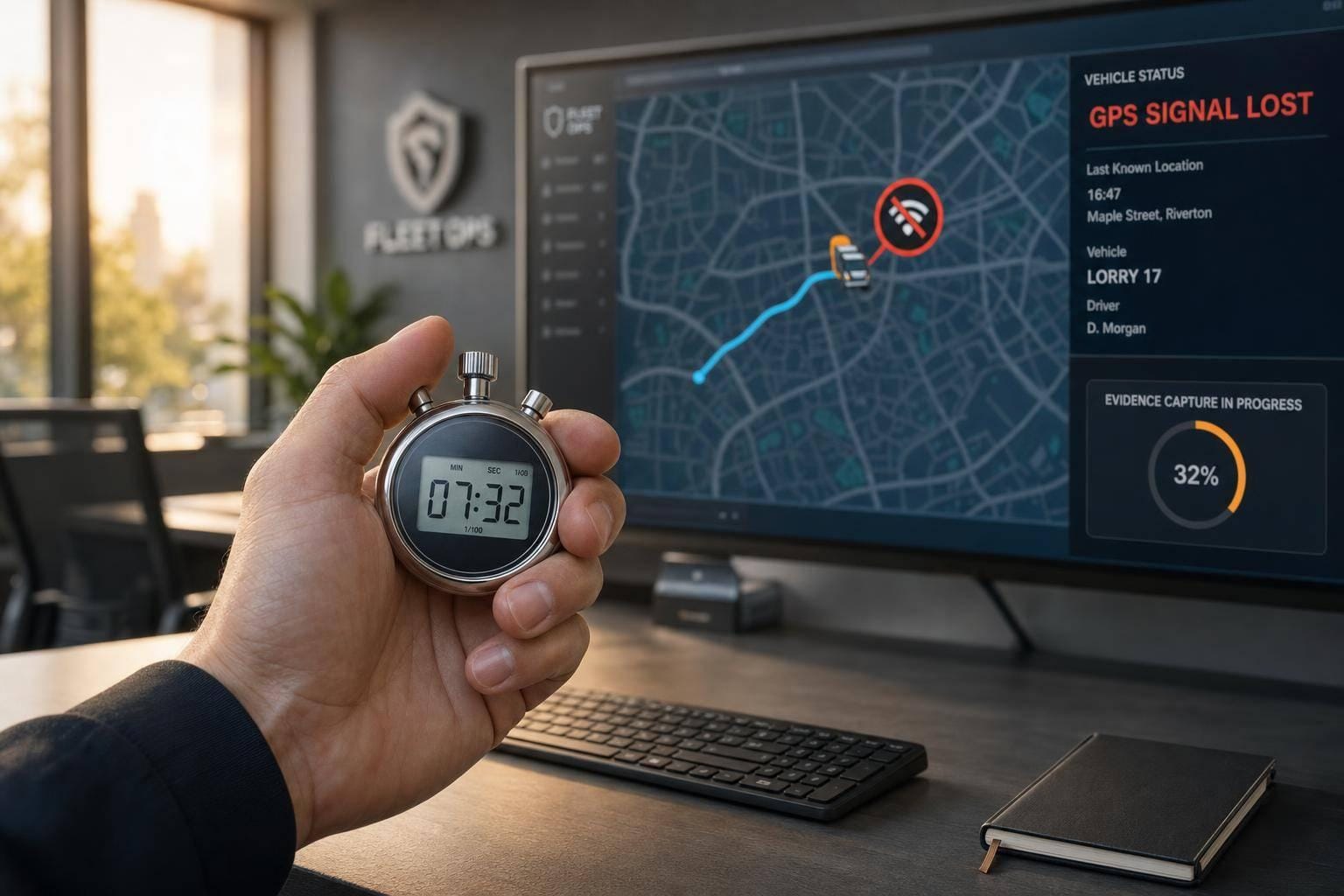
If a vehicle stops showing its position while the ignition, CAN data or mobile link still look normal, I’d treat it as possible GPS jamming straight away. A blank patch on the map can give a thief enough time to move a van, shift tools, or take a loaded vehicle off route.
Here’s the short version:
- I’d look for sudden GPS loss, not a slow fade
- I’d check whether the engine data still shows movement
- I’d compare it with known blackspots like tunnels or multi-storey car parks
- I’d flag repeat dropouts in the same place
- I’d use driver reports and backup trackers to sort interference from a device fault
- I’d save screenshots, logs, call notes and timings in the first 5–10 minutes
- I’d move to police contact fast if a high-value load is involved or if one tracker dies while another stays live
A normal signal gap is usually short and linked to the location. Jamming looks different: the loss is abrupt, the route history may show a straight line or frozen point, and other data can show the vehicle was still moving. In the UK, GPS jamming is illegal under the Wireless Telegraphy Act 2006.
| Cause | What I’d expect to see | What it usually means |
|---|---|---|
| Normal coverage gap | Short loss near tunnels, warehouses, tall buildings | Poor signal, not interference |
| Device or wiring fault | No data at all, odd sensor readings, issue follows the vehicle | Tracker, antenna or power problem |
| Suspected jamming | GPS drops but GSM/CAN stay live; frozen map; repeat gaps on route | Deliberate interference |
My view is simple: don’t treat this like a minor tracking glitch. treat it like a security event, sort the pattern fast, protect the driver, and escalate by risk.
That’s the core of the article below.
Detecting Stolen Cars by Tracking GPS Jammers | GNSS Jammer Detection
sbb-itb-499a7f0
How to detect GPS jammers using data and driver reports
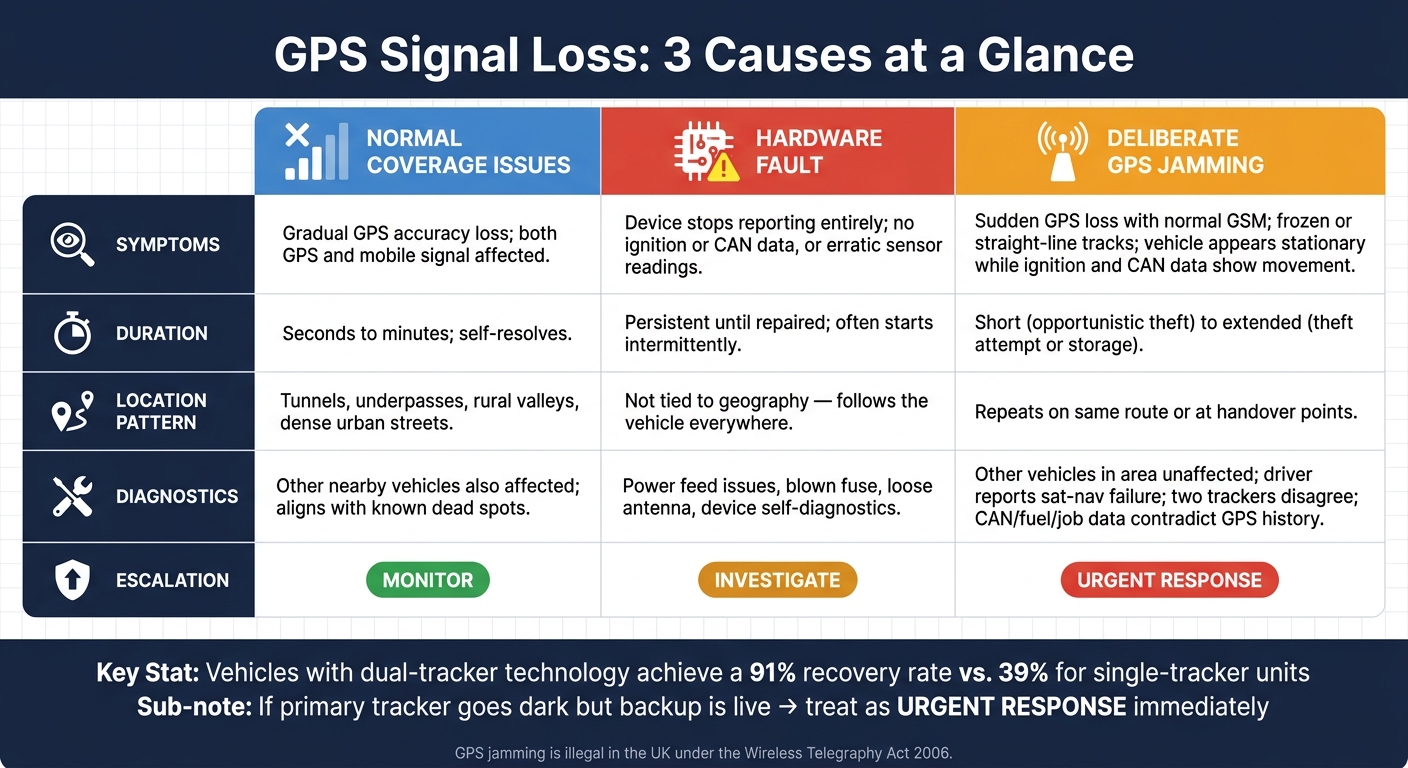
GPS Jamming vs. Coverage Gap vs. Device Fault: How to Tell the Difference
Once you've ruled out routine blackspots, the next step is to use live data to work out whether you're dealing with interference or a device problem.
Signal loss patterns that point to interference
One of the clearest warning signs is sudden GPS loss while the vehicle is still sending normal mobile and CAN data.
A few patterns tend to stand out:
- Trip history shows a straight line between two points, with no breadcrumb trail in the middle.
- The vehicle looks stationary on the map, but ignition, RPM or fuel use show that it's still moving.
- You see repeated short GPS blackouts - often one to five minutes - at roughly the same spot on the same route.
That last pattern matters. A routine dead spot usually looks messy but predictable. Repeated short losses at the same handover point are more in line with targeted interference.
The table below sums up the three most common causes and how to tell them apart at a glance:
| Issue type | Typical symptoms | Usual duration | Location pattern | Supporting diagnostics |
|---|---|---|---|---|
| Normal coverage issues | Gradual loss of GPS accuracy; both GPS and mobile signal affected | Seconds to minutes; usually self-resolves | Repeatable in tunnels, underpasses, rural valleys and dense urban streets | Other nearby vehicles may also be affected; aligns with known dead spots or network outage reports |
| Hardware faults | Device stops reporting entirely; no ignition or CAN data, or erratic readings from all sensors | Persistent until repaired; often starts intermittently | Not tied to geography; follows the vehicle everywhere | Power feed issues, blown fuse, loose antenna or wiring, device self-diagnostics, recent maintenance work |
| Deliberate jamming | Sudden GPS loss with normal GSM; frozen or straight-line tracks; vehicle appears stationary while ignition and CAN data show movement | Can be short during an opportunistic theft or extended during a theft attempt or storage period | Often repeats on the same route or at handover points | Other vehicles in the same area unaffected; driver reports sat-nav failure; two trackers disagree on location; CAN, fuel and job data contradict the GPS history |
Use that comparison to decide whether the issue needs monitoring, a closer check, or immediate escalation.
Alert rules and triage checks
Good alert rules stop this kind of thing from sitting unnoticed in a report.
Set a 'position not updated while ignition is on' alert after five minutes of no meaningful movement while the engine is running. If the asset is high risk, cut that to two or three minutes. You'll get a few more false positives, but you'll also spot trouble sooner.
It's also worth pairing that with:
- a no-data alert after five to ten minutes for vehicles that should be moving
- a rule that flags any vehicle with three or more GPS dropouts in a single trip
- geofence mismatch checks, where a vehicle fails to arrive at a planned depot or delivery point within the expected time window
When an alert fires, do a quick triage first. Was the vehicle near a tunnel, a multi-storey car park or a known dead spot? Is the device showing any power or wiring issue? Are other fleet vehicles in the same area and time window reporting as normal?
If those checks don't point to a coverage issue or a hardware fault, treat the event as suspected jamming.
Driver reports and dual-tracker checks
Drivers often spot interference before the platform does. That's why it helps to give them a simple way to log the time, place and type of issue - through a driver app, a short call to the control room or a set message format - when they notice sat-nav loss, a frozen map or an impossible location jump.
When a driver report lines up with a telematics anomaly at the same time and place, the case becomes much stronger. One signal on its own can be brushed off. Both together are harder to ignore.
Dual-tracker checks help too. If one tracker freezes but the second keeps updating, the problem is more likely to be a device fault. If both lose GPS at the same time while power and CAN data stay normal, jamming becomes the more likely cause.
You can add more weight by checking GPS history against fuel use, odometer readings and job schedules. GRS Fleet Telematics' dual-tracker technology helps confirm whether GPS loss is caused by a device fault or a jamming event.
If the same pattern keeps coming back, or the evidence starts piling up, move straight to remote verification and evidence capture.
What to do immediately after a suspected jamming event
Once jamming looks likely, stop guessing and start confirming. At this stage, the job is simple: check what happened, lock down the timeline, and save evidence while it’s still there. The first 5–10 minutes matter most, so begin with remote checks before anyone goes near the vehicle.
Remote checks to confirm jamming or a fault
Start with three quick checks.
First, review the live map and trip history for the last 60 minutes for the affected vehicle. Pin down the exact time and place where GPS stopped reporting. A sudden loss in an open area tells a very different story from a slow fade near a tunnel or underpass.
Second, compare the last known position with known dead spots. If the vehicle vanished in a place that normally has stable GPS and GSM, the chance of jamming goes up.
Third, review ignition, door and vehicle data for the same period. If ignition still shows as ON, or door-open events appear after GPS drops, the vehicle may still be moving or being accessed even though it no longer appears on the map.
It also helps to compare the vehicle with others that travelled through the same area in the same 15–30 minute window. If those vehicles reported as normal, the problem is more likely limited to one vehicle. That points away from a coverage issue and more towards jamming or tampering.
While the event is live, save everything you can. Pull together screenshots, trip logs, driver messages and call notes into one incident file, then store it in a secure folder. That gives you an evidence pack built on facts, not hunches. It also helps if insurers or police need to review what happened.
If the signs still point to interference, only move the vehicle if it can be done safely.
Safe inspection and evidence handling
Leave physical checks until the vehicle is parked somewhere secure, low-risk and well lit, such as a staffed depot or a site covered by CCTV.
Tell the driver to head to the nearest suitable location and stay in the cab with the doors locked until the vehicle is secure. If there are signs of an active theft, or the load is high value, put driver safety first.
Once the vehicle is secure, carry out a visual inspection of these areas:
- Cab power sockets and USB ports - cigarette lighter sockets, multi-socket adaptors, and any unfamiliar dongles or chargers
- Behind dash panels - panels that look recently disturbed, with new tape, loose fixings or visible wiring
- Under seats, in roof linings and storage cubbies - small boxes, cables or aerials
- Load area - any device connected to a secondary battery, power inverter or socket
If anything looks suspicious, photograph it before touching it. Take images from a few distances: a full view for context, a mid-range shot, and a close-up. Add a reference object for scale, such as a key fob. Record the exact position, date and time on a standard inspection form.
Do not operate a suspected jammer; it may breach section 68 of the Wireless Telegraphy Act 2006, and could compromise the evidential value of the item for police or insurers. Do not touch, test or disconnect anything. Leave that to a qualified technician or police unit. This rule should appear clearly in handbooks and control-room training.
With the vehicle secure and the evidence saved, the next step is to classify the event and escalate it based on risk.
Escalation, recovery and when to call the police
Once you suspect jamming and have saved the evidence, the next step is simple: decide how serious the incident is and match the response to that level.
Three escalation levels: monitor, investigate or urgent response
The level tells you who should act first and how fast the team needs to move.
| Escalation Level | Trigger Conditions | Required Actions | Internal Owner |
|---|---|---|---|
| Monitor | One-off short anomaly; rural/remote location; urban signal bounce | Log the event; cross-reference with GPS coverage maps; check driver status | Fleet Administrator |
| Investigate | Repeated gaps on the same vehicle or route; driver reports of interference | Inspect tracker hardware; check for external antennas; speak to the driver | Fleet Manager |
| Urgent Response | Unexpected disappearance; high-value load; primary tracker offline, backup live | Contact police immediately; notify recovery teams; immobilise the vehicle | Security Head / Director |
One point matters more than most: if the primary tracker goes dark but the backup tracker is still live, treat it as an urgent response case straight away. That kind of split usually points to interference, not a random fault.
When to contact police, recovery teams and other authorities
For urgent-response cases, call police immediately.
When you make the call, give them the key details without delay:
- registration
- make and model
- livery
- last known location and time
- direction of travel
- driver statement
- live secondary-tracker coordinates
If you have live coordinates, share them in real time. Minutes matter here.
The difference dual-tracker systems make is stark. Vehicles fitted with dual-tracker technology achieve a 91% recovery rate, compared with 39% for those relying on a single unit —a key reason why van trackers prevent vehicle theft more effectively when used as part of a layered security strategy..
Conclusion: Build a repeatable anti-jamming response plan
Once your detection and response steps are set, the next job is simple: turn them into a plan your team can run the same way every time. GPS jamming is a security incident, not a one-off glitch. Recovery works best when people already know what to do.
Use alert rules and signal-loss log reviews to tell the difference between dead zones and interference. If dual trackers disagree, treat it as a likely interference event and escalate at once.
Detection matters only if it leads to fast action. Set clear thresholds for monitor, investigate, and urgent response. For a high-risk geofence or signal-loss alert, aim to notify police within 10 minutes. Detect the loss, confirm the pattern, escalate based on risk, and record the evidence.
After each event, feed what you’ve logged back into route and site risk reviews. Check logged events on a regular basis to spot repeat hotspots. If the same hotspots keep showing up, change routes, parking plans, or site risk flags.
Document the plan, drill it, and assign owners now.
FAQs
How can I tell jamming from a tracker fault?
A tracker fault usually leads to stop-start signal loss in places where GPS already has a hard time, like tunnels, built-up city streets, or underground car parks.
GPS jamming, on the other hand, tends to look more deliberate. It often causes localised signal loss in one area, or happens while the vehicle is stationary.
With GRS Fleet Telematics dual-tracker systems, the pattern can be easier to spot. A fault will often affect just one unit. Jamming is more likely if the hidden backup keeps working or sends a tamper alert.
What should drivers do during suspected jamming?
Stay calm and put your safety first. Report the suspected jamming to your fleet manager or control centre straight away so they can track signal loss patterns and start security checks.
Don’t try to find or disable the jammer yourself. If you can, move the vehicle to a secure location and follow your company’s escalation process.
When should I call police after GPS loss?
If a tracking alert points to theft, move fast. Start by checking your telematics data to confirm where the vehicle is. Once you’ve verified the location, contact the police straight away and pass on those details to help with recovery.
Make a note of every step you take. That record can help with insurance and with stopping the same thing happening again. GRS Fleet Telematics also provides 24/7 recovery support and can work directly with law enforcement.